



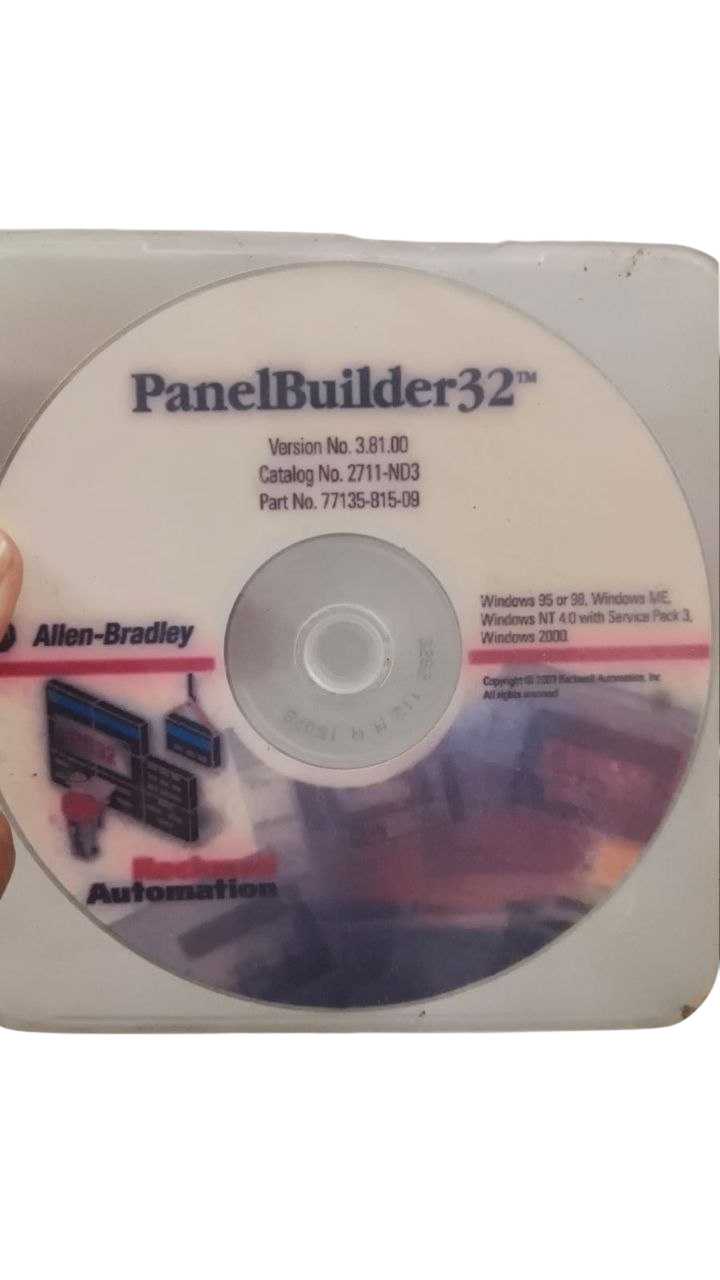


Allen Bradley PanelBuilder32 Software v3.81.00 CD (Catalog No. 2711-ND3)
The Allen-Bradley PanelBuilder32 Version 3.81.00 CD (Catalog Number 2711-ND3, Part Number 77135-815-09) is the dedicated engineering environment built for designing, testing, and maintaining Allen-Bradley PanelView Standard Human-Machine Interfaces (HMIs). Engineered to meet the demanding requirements of industrial processing plants, shipboard power management systems, and offshore drilling platforms, PanelBuilder32 provides a standardized graphical development engine across legacy PanelView hardware.
In marine and heavy industrial automation, uninterrupted operations depend on error-free tag mapping and reliable protocol stacks. Version 3.81.00 is a highly stable media build for legacy Windows environments, supporting PanelView terminal firmware up to version 4.x and above. It handles historical alarm configuration, dynamic analog meters, screen language switching, and pass-through communications over RSLinx Classic.
Industrial HMI Configuration Software & Marine Engineering Technical Guide
- Catalog Number: 2711-ND3
- Part Number: 77135-815-09
- Software Revision: 3.81.00
- Media Format: CD-ROM
- Software License Type: Single-Node Engineering Workstation License
Key Features
- Universal PanelView Standard Architecture: Native 32-bit development environment for authoring, editing, and converting application files across all legacy PanelView Standard terminals (PanelView 300, 300 Micro, 550, 600, 900, 1000, and 1400).
- Multi-Protocol Network Communications: Configures point-to-point and industrial network interfaces, including DF1 Full/Half-Duplex, DH-485, Data Highway Plus (DH+), Remote I/O (RIO), ControlNet, and EtherNet/IP.
- Integrated Symbol & Tag Database: Enables direct tag import/export capabilities with RSLogix 500 and RSLogix 5000, facilitating native data mapping to SLC 500, MicroLogix, PLC-5, and ControlLogix controllers.
- Legacy Display Conversion & Screen Migration: Supports automated object-level copy-paste and project conversion algorithms between different panel display sizes, resolutions, and screen types (monochrome, grayscale, and color TFT).
- System Diagnostics & Offline Emulation: Provides integrated syntax error checking, alarm stack configuration, dynamic trend plotting, user security privilege levels, and terminal memory usage analytics prior to field deployment.
Technical Details:
| Attribute Specification | Value |
|---|---|
| Manufacturer | Rockwell Automation / Allen-Bradley |
| Product Line | PanelBuilder32 Development Suite |
| Catalog Number | 2711-ND3 |
| Part Number | 77135-815-09 |
| Software Revision | Version 3.81.00 |
| UPC / EAN Barcode | 662468532020 |
| Distribution Media | CD-ROM (Optical Disk) |
| Software Operating Architecture | 32-bit Windows |
Hardware Compatibility Matrix
PanelBuilder32 v3.81.00 CD supports all keypad, touch screen, and combination key/touch hardware configurations across the standard PanelView portfolio:
- PanelView 300 & 300 Micro: 2711-M3A19L1, 2711-K3A17L1, 2711-K3A2L1, 2711-K3A5L1, 2711-K3A8L1, 2711-K3A10L1
- PanelView 550: 2711-B5A1, 2711-B5A2, 2711-B5A5, 2711-B5A8, 2711-B5A9, 2711-B5A10, 2711-K5A1, 2711-K5A2, 2711-T5A1, 2711-T5A2
- PanelView 600: 2711-B6C1, 2711-B6C2, 2711-B6C8, 2711-K6C1, 2711-K6C2, 2711-K6C8, 2711-T6C1, 2711-T6C2, 2711-T6C8
- PanelView 900: 2711-K9A1, 2711-K9A2, 2711-K9C1, 2711-T9A1, 2711-T9C1, 2711-T9C8
- PanelView 1000: 2711-K10G1, 2711-K10C1, 2711-T10G1, 2711-T10C1, 2711-T10C8, 2711-T10C20
- PanelView 1400: 2711-K14C1, 2711-K14C8, 2711-T14C1, 2711-T14C8, 2711-T14C20
Part Number Cross-References
- Rockwell Bulletin Number: Bulletin 2711-ND3
- German Edition: 2711-ND3DE
- Spanish Edition: 2711-ND3ES
- French Edition: 2711-ND3FR
- Chinese Edition: 2711-ND3CN
- Alternate Media & Manufacturing Codes: 2711-ND3AM, 77135-815-01, 77135-815-05
Targeted Industrial Applications
- Marine Main Propulsion & Auxiliary Monitoring: Authoring alarm management displays for main diesel engines, shaft generators, ballast pump networks, and oily water separators.
- Offshore Drilling Rig Operations: Supporting legacy PanelView 550 and 1000 terminals on mud pumps, drawworks control stations, and blowout preventer (BOP) operator stands.
- Factory Process & Line Automation: Modifying screen files on food and beverage bottling lines, municipal water treatment consoles, and chemical batch reactor stations.
- Disaster Recovery & Legacy Backups: Extracting runtime .PVR files and archiving editable .PVA project files prior to upgrading control panels.
Field Deployment Best Practices
1) Host Environment Optimization:
PanelBuilder32 is built on a 32-bit architecture. When using a Windows 10 or Windows 11 64-bit engineering laptop, run PanelBuilder32 v3.81.00 inside a 32-bit Windows XP (SP3) or Windows 7 32-bit Virtual Machine (VMware Workstation or Hyper-V). Map your hardware serial COM ports (RS-232) or USB converters (such as FTDI-chip 1747-UIC or USB-1761-CBL-PM02 cables) directly to the guest OS.
2) File Extensions: PVA vs. PVR:
.PVA files are Application Source Files created and edited in PanelBuilder32. Always store these in your central engineering repository.
.PVR files are Runtime Binary Files generated by PanelBuilder32 and uploaded/downloaded to the PanelView terminal. Uploading from an old terminal retrieves a .PVR file, which PanelBuilder32 automatically decompiles back into a .PVA source file.
3) RSLinx Communication Configuration:
Before initiating a transfer, set up your communication drivers in RSLinx Classic (e.g., AB_DF1-1 or DH485-1). Verify pass-through parameters when uploading through a SLC 5/04 or ControlLogix chassis to avoid dropping packets during long transfers.
4) Addressing Alignment Check:
When referencing 32-bit integer (L) or floating-point (F) addresses in MicroLogix or SLC controllers, double-check that array element lengths match the PanelView tag structure to prevent background communication faults (such as Error 686 / 688).
Frequently Asked Questions
What is Allen-Bradley PanelBuilder32 used for?
PanelBuilder32 is the proprietary software environment used to design, convert, test, and transfer application files for legacy Allen-Bradley PanelView Standard operator terminals (PanelView 300 through 1400).
What are the Catalog and Part Numbers for PanelBuilder32 v3.81.00 CD?
The Rockwell catalog number is 2711-ND3 and the specific manufacturing part number for version 3.81.00 on CD-ROM is 77135-815-09.
Can PanelBuilder32 v3.81.00 CD be installed on 64-bit Windows operating systems?
PanelBuilder32 was authored for 32-bit Windows OS. To run it on 64-bit Windows 10 or Windows 11 systems, it is best installed inside a 32-bit Windows XP or Windows 7 Virtual Machine.
Which PanelView terminals are compatible with Catalog 2711-ND3?
It supports all legacy PanelView Standard terminals, including the PanelView 300, 300 Micro, 550, 600, 900, 1000, and 1400 in keypad, touch, and dual-input configurations.
What media is supplied with Part Number 77135-815-09?
Part Number 77135-815-09 supplies the software installation package on a physical optical CD-ROM.
How does PanelBuilder32 differ from FactoryTalk View Studio?
PanelBuilder32 exclusively configures legacy PanelView Standard hardware. FactoryTalk View Studio (Machine Edition) is designed for modern PanelView Plus, PanelView 800, and PanelView 5000 terminals.